

What it can do
Account & balances
Wallet and card balance totals, account limits, capabilities, and fees.
Cards
List and filter cards by status, tag, or balance. Card numbers are always masked.
Transactions & analytics
Search, count, and summarize transactions; income, spending, runway, and top-merchant analytics.
Team & more
Team members, notifications, card types available for issuing, and CSV/PDF/XLSX statement exports.
- “How much did I spend on Facebook Ads this month?”
- “Which of my cards have a balance under $10?”
- “Summarize my team’s spending for the last 90 days and export it as a PDF.”
- “Why was my last transaction declined?”
Prerequisites
- A Finup account you can sign in to at app.finup.io
- An AI app that supports remote MCP servers with OAuth: Claude (web or desktop), Claude Code, Cursor, ChatGPT, and others
Connect to Claude
Works the same on claude.ai and the Claude desktop app.1
Open connector settings
Go to claude.ai/settings/connectors (or Settings → Connectors in the desktop app) and click Add custom connector.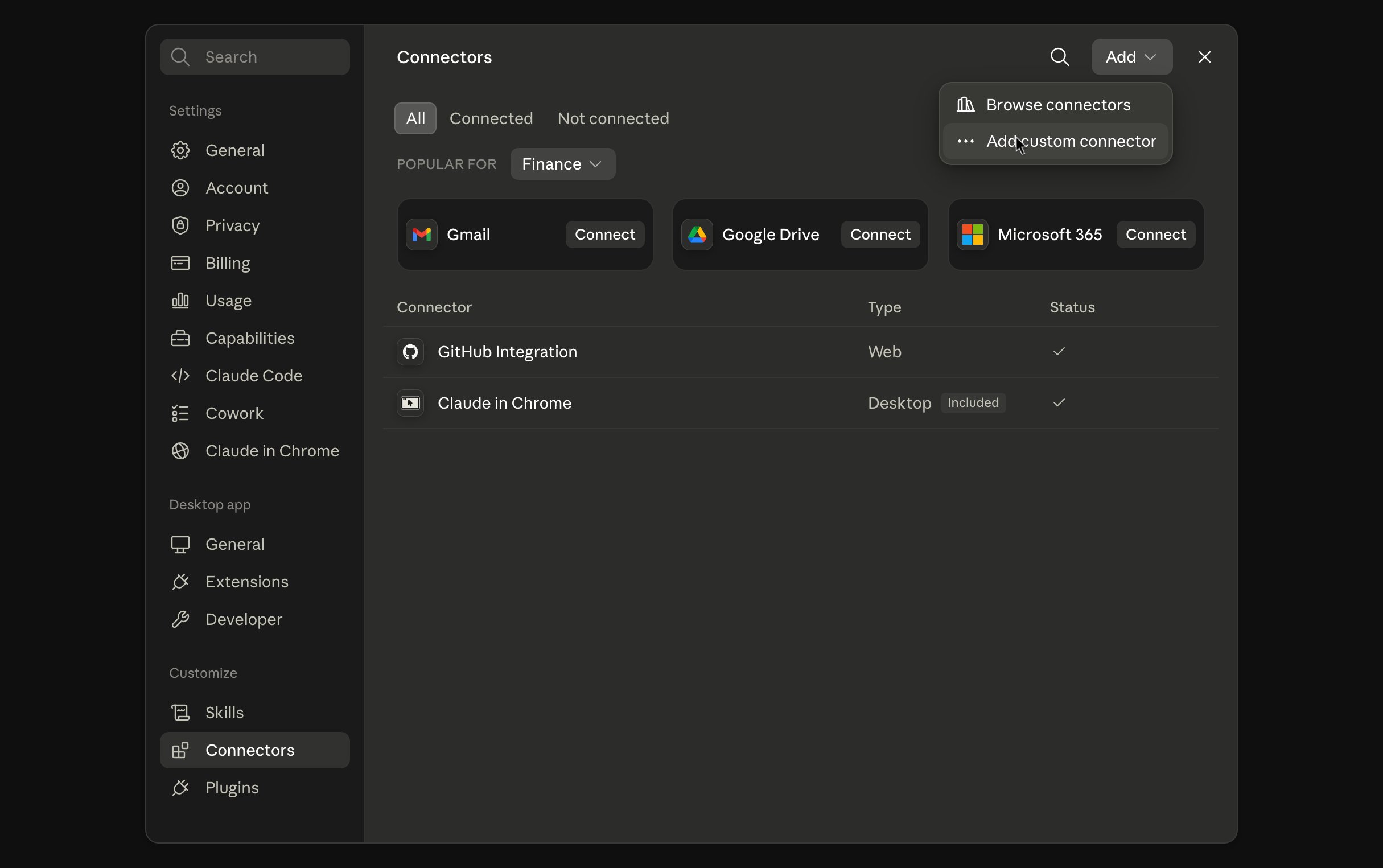
2
Add the Finup server
Enter a name (e.g. 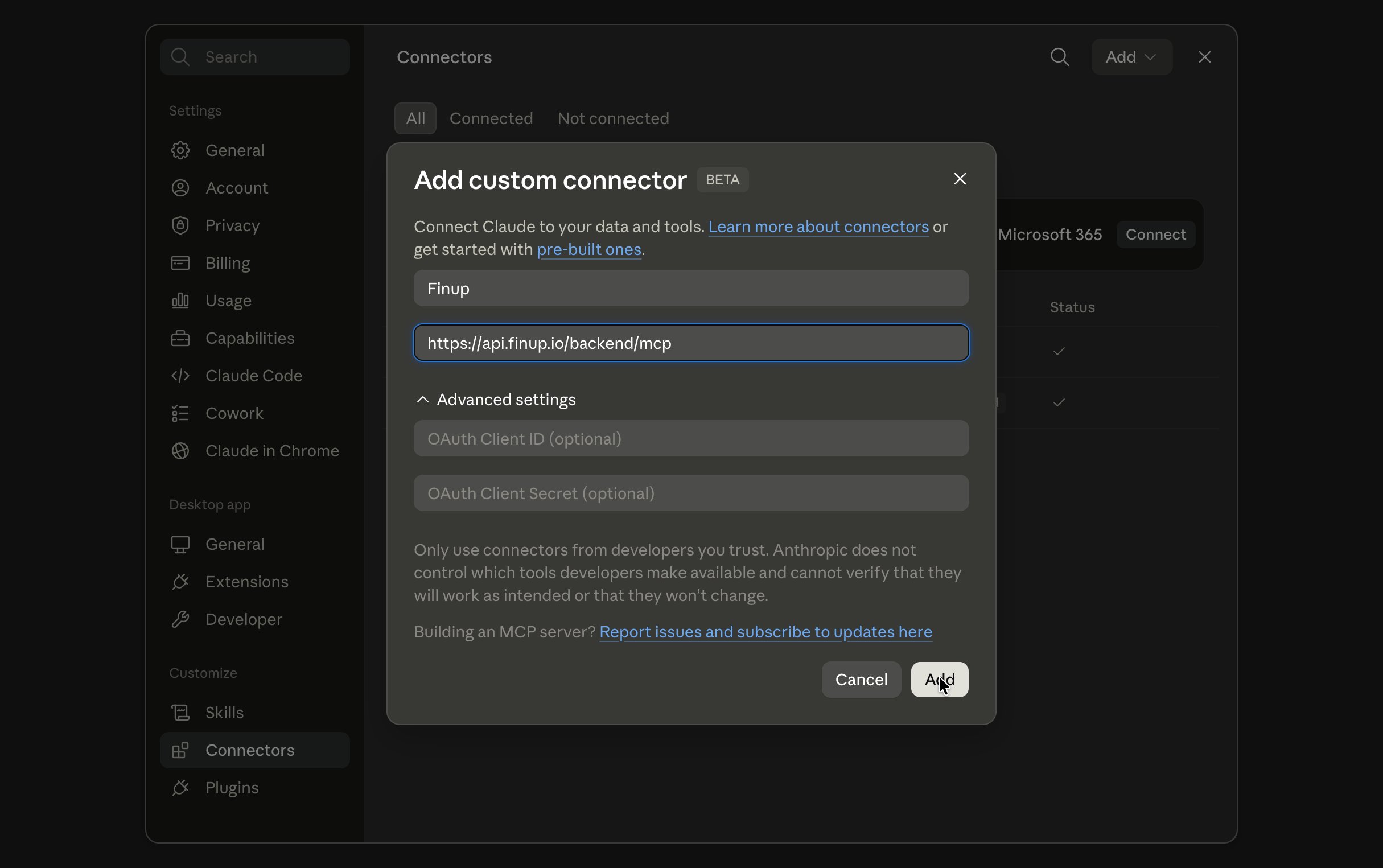
Finup) and the server URL:3
Sign in
Click Connect next to the new connector. A browser window opens — sign in with your Finup account and approve access.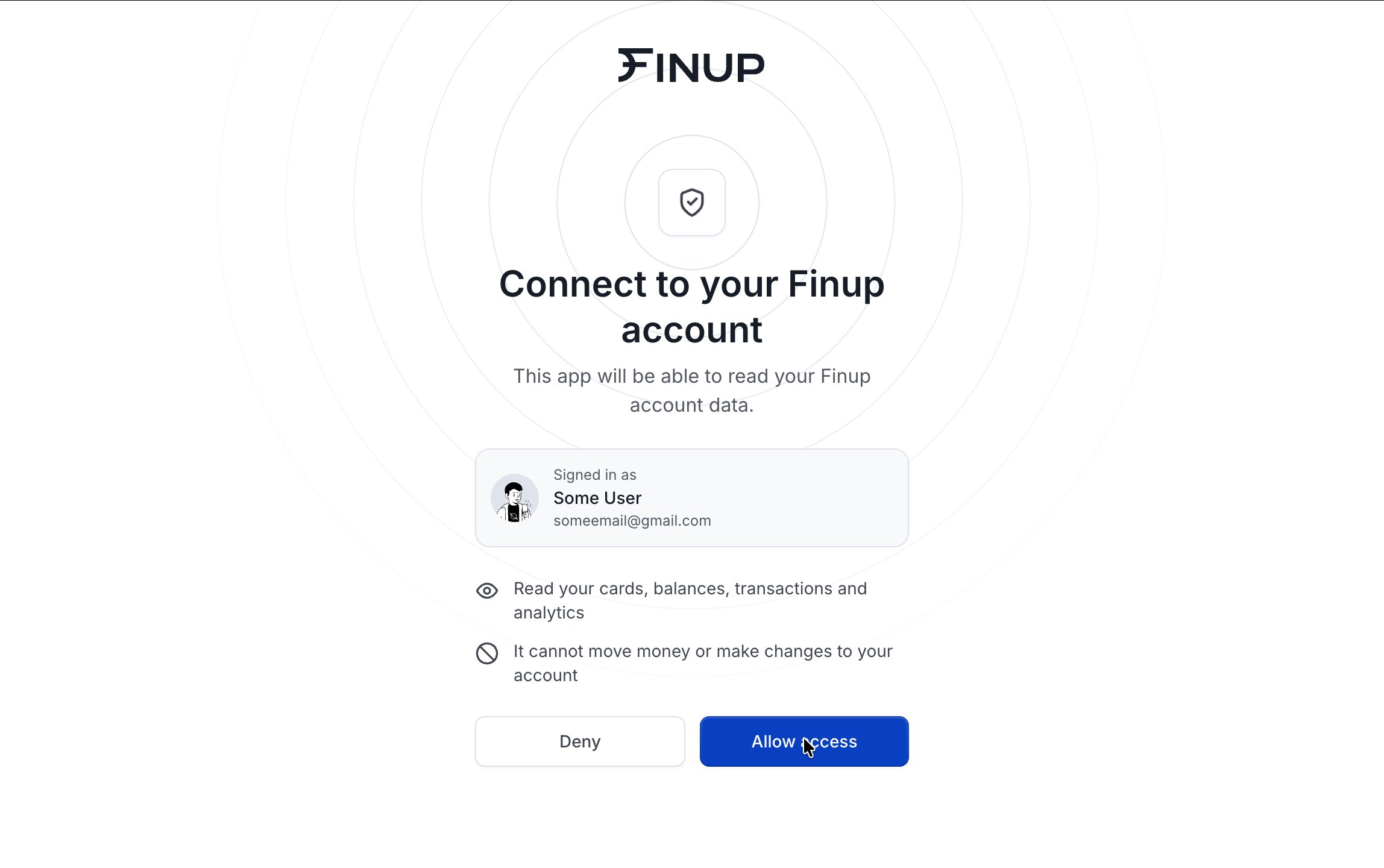
4
Verify
In any chat, open the tools menu and make sure the Finup connector is enabled, then ask something like “What’s my wallet balance?”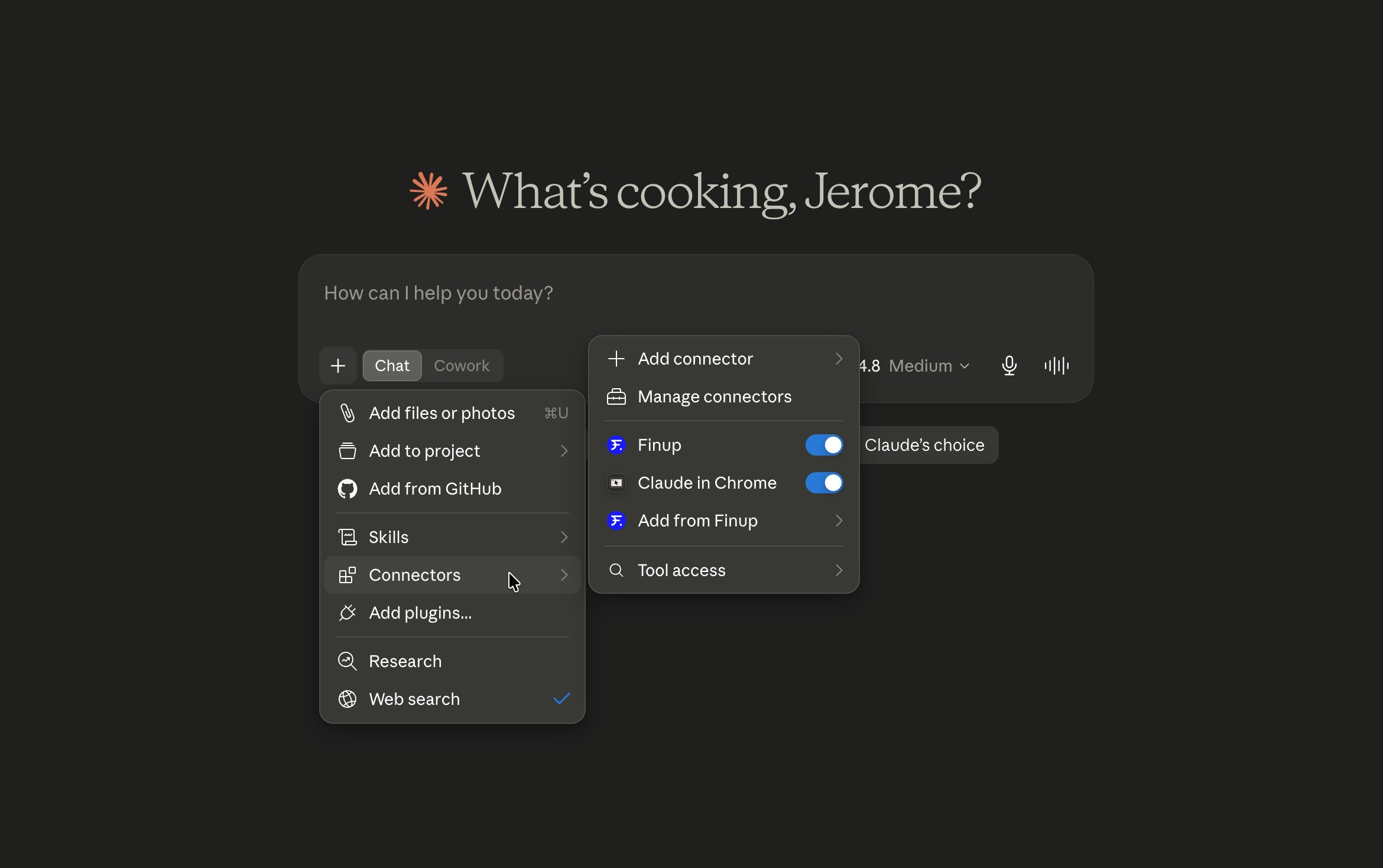
Connect to Claude Code
1
Add the server
2
Authenticate
Inside a Claude Code session, run
/mcp, select finup, and complete the sign-in in the browser window that opens.3
Verify
Run
/mcp again — finup should show as connected with its tools listed.Connect to Cursor
1
Add the server config
Open Cursor Settings → Tools & MCP → Add new MCP server, or add this to
~/.cursor/mcp.json:2
Sign in
Cursor shows a Needs login state next to the new server — click it and complete the Finup sign-in in your browser.
3
Verify
The server status turns green in Settings → Tools & MCP, and the Finup tools appear in the agent’s tool list.
Other MCP clients
Any client that supports remote MCP servers over Streamable HTTP with OAuth (VS Code Copilot, Windsurf, and others) works the same way: point it athttps://api.finup.io/backend/mcp and complete the browser sign-in when prompted.
Troubleshooting
- Sign-in window never opens or errors out — remove the connector, restart the app, and add it again from scratch. Some apps cache a failed registration.
- Tools don’t appear after connecting — make sure the connector is enabled for the current chat (Claude: tools menu; ChatGPT: + menu; Cursor: MCP server toggled on).
- Requests return authorization errors after some time — your session expired. Reconnect the server to sign in again.
Security
- Access is scoped to your Finup user and role — the assistant sees exactly what you can see in the app, nothing more.
- All tools are read-only. The only thing the server can create is a downloadable statement export you explicitly ask for.
- Full card numbers and CVCs are never exposed; PANs are always masked.
- You can revoke access at any time by removing the connector from your AI app.